The Same Town, Now in a Browser
October 24–26: physics, knock-downs, pixel art, and one engine on four platforms
Last time, residents moved into a town we could walk into. Over the next three days the town gained weight: doors swing, dominoes fall, and a resident you run into tumbles and gets back up. In the same three days, the engine from the desktop development window went into the browser unchanged. This entry follows how things came to move for real, and the mistakes a shared test caught when we took it to other platforms.
Previous: Walking into the World We Generated →From things that move to one link to share
This entry covers the development build as of late October 26. The thread runs from physics entering the world, through knock-downs, sitting and lying down, pixel art and performance, to the web version and a cross-platform test. The web version is Gen Town version 1, linked at the end; the other stages describe the native development window, which runs the same code.
Giving the world weight: physics enters the town
A house you can walk into is not yet a house whose things you can touch. Walk through a chair, and a door that never swings feels painted on; the world looks right and feels empty. In these three days Jolt physics became part of the world itself rather than an effect added on top.
- Workflow
- Objects in the world package carry world.physics: doors are hinges, furniture and crates are bodies to push, residents are kinematic bodies. gen_town opens with 104 bodies, 11 joints and 638 obstacles. The playground swing, 19 dominoes, a crate stack and a ball with a goal are toys described as data, and the visitor works each with its own Kimodo motion: push, kick, poke.
- Obstacles
- Physics and walking got in each other's way. A click-walk route kept brushing things that were still moving; dominoes and crates settle by a hair during their first 0.4 s, which kept emptying the route cache. And Jolt's Debug build validates whole structures every step: a third of a frame went to it.
- What we changed
- Routes no longer brush dynamic bodies, and link routes are planned again once the world has held still for a round: a straight-ahead click went from 15–16 ms to 6 ms. Jolt is compiled with -O2 and without its step validation even in Debug builds: physics went from 3.15 to 1.02 ms a frame.
- Still open
- Physics is stepped, so platforms do not compute bit-identical results. Our checks assert behaviour (every domino down, the goal scored, the crates stacked again), not every decimal of a position.
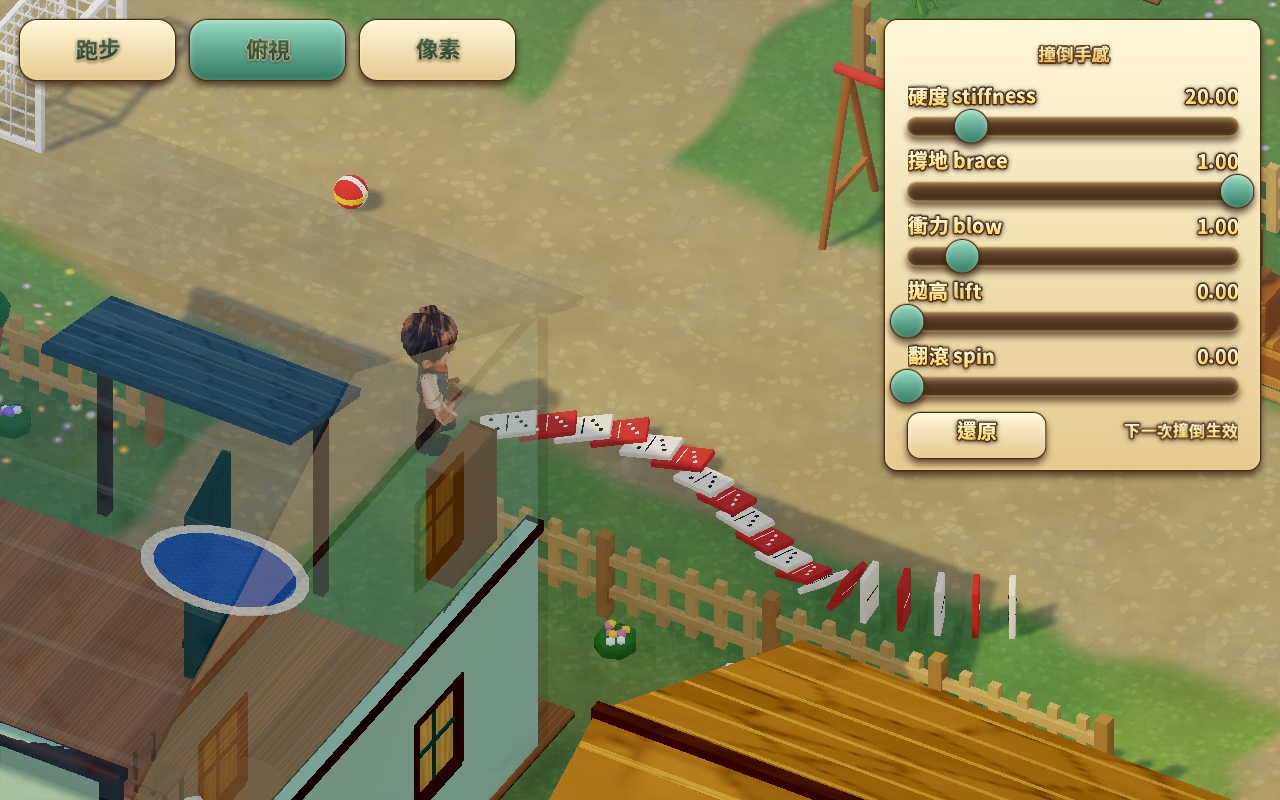
Knocked down, and back up on their own
Running into someone was the moment we most wanted to get right: it should have weight, be a little funny, and never tear anyone apart. After running into a few residents in the development window, it felt right; so it became a real feature, with parameters for more exaggerated falls.
- Workflow
- Run into a resident at 1.8 m/s or more and they fall as a rag doll of their own skeleton, brace with both hands, lie for a moment and stand up from where they lie; walk past and they just step aside. Hold a direction into a fence and you slide along it instead of stopping. Five sliders at the top right set stiffness, brace, blow, lift and spin, from the next knock-down on.
- Obstacles
- Every resident's skeleton is different: 16 to 34 bones, long skirts, big heads. The eatery auntie flew apart on impact because some parts were too light to carry the body. Getting up sometimes floated 0.2 m above the floor and sometimes buried a hand in it. Once the sliders arrived, every click also took one 130–150 ms frame.
- What we changed
- A part too light to carry the body joins its parent. A rise that floats is brought down, and one that sinks is lifted until at most a twentieth of its skin is under the floor. The click hitch came from the UI laying out for the click at another density, which threw away and redrew all seventeen text pictures twice per click; laid out the window's way, the worst frame went from 134.9 to 19.3 ms.
- Still open
- The rag doll does not grab anything yet, and the person you hit does not push back. The feel found with the sliders is not yet saved per resident.
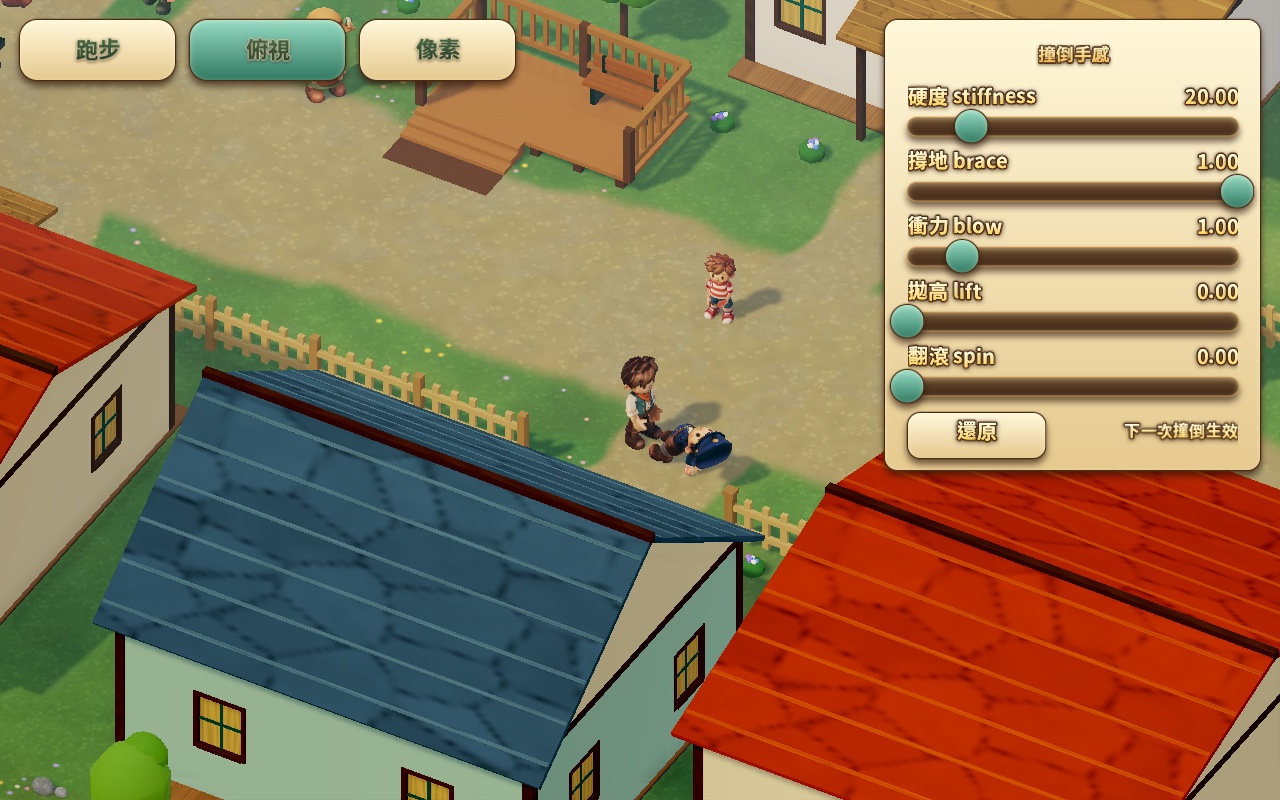
Chairs are for sitting, beds for lying down
With 107 pieces of furniture in the houses, we could finally ask an everyday question: can you sit down?
- Workflow
- Walk up to a chair or a bed and press Sit or Lie down: the visitor walks to the piece's spot, turns to face the right way, plays the motion and holds still; press again or click the ground to get up. The four motions, SitDown, StandUp, LieDown and GetUpBed, were generated by Kimodo for the furniture's heights.
- Obstacles
- Sitting down, feet tucked under the chair lifted the whole body 0.4 m. Lying down sank into the mattress. And on the way to sit, the visitor shoved the table and chairs out of place.
- What we changed
- The motion's support surface gained a depth: skin more than that below the seat is under the furniture and no longer pushes the body up. Lying down now goes along the bed first and then onto the side, with body and big head both resting on it. The visitor is set aside from physics for the last stretch of the approach, so nothing else in the room moves.
- Still open
- Each piece has one way to be used, two people never compete for a chair, and residents do not sit down by themselves yet.
Pixel art behind one button
Pixel art looks like shrinking the picture and enlarging it again. The hard part is keeping it from shimmering when the camera moves: blocks that follow the screen make the whole picture ripple like water.
- Workflow
- The scene is drawn at a third of the output resolution (2–8 is adjustable), so each block is one scene pixel. The camera first snaps to whole scene pixels and the remaining fraction is slid back, so the blocks stick to the world. Edges with a large depth step get a dark outline, and brightness can fall into a few bands. The Pixel button at the top left, Ctrl+P and the settings panel all switch it, each following the others.
- Obstacles
- It first worked only on Metal; GLES and Vulkan reported it unavailable. Another session added it to GLES and Vulkan the same evening, and we nearly wrote two copies; one of them failed to compile on Mesa's GLES driver, which settled which one to keep.
- What we changed
- All three backends follow one rule: the block size replaces the render scale, composition snaps to scene pixels and slides, and outline and bands are computed the same way. A check captures a 320×240 pixel-art frame and confirms each row changes colour at most once every 4 pixels.
- Still open
- Bands turn into speckle on textured surfaces, so they are off by default. UI text stays smooth and is not pixelated.
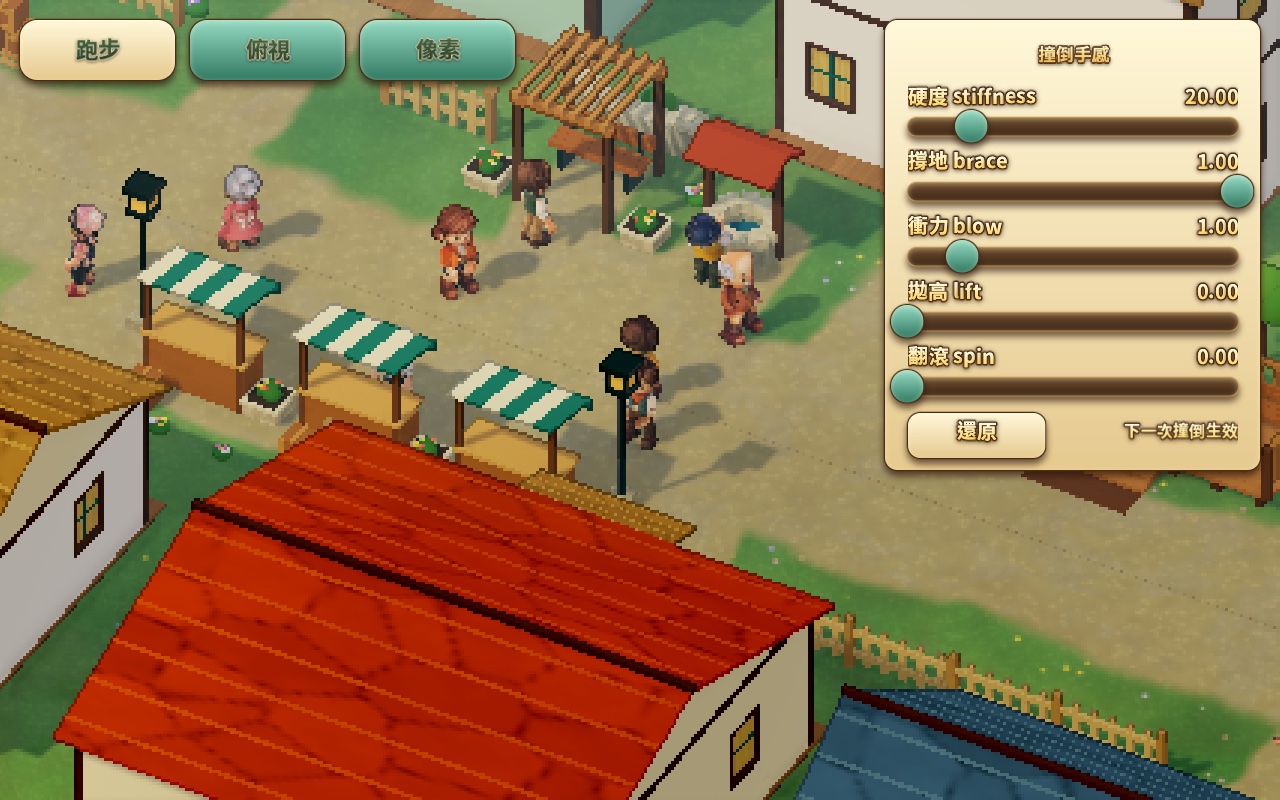
Finding the slow parts one at a time
With thirteen residents instead of five, plus physics and panels, a steady 60 fps became tight. Instead of guessing, we measured: each render pass on the GPU, each piece of CPU work, and who holds the memory.
- Workflow
- The settings panel gained a live Performance section (GPU time, fps, each pass's share), which agents can also read as JSON. All measurements run on a headless host that paces its frames like a 60 Hz display, with no window on anyone's screen.
- Obstacles
- There was no single most expensive setting. Contact shadows were seven tenths of composition; every pass stored its multisampled targets; shaders able to discard pixels turned off the GPU's hidden-surface removal. On the CPU, skinning ran all eight weight slots per vertex when fewer than two hold anything on average; one changing text made the panel re-read its document 40 times a refresh; and residents' models were decoded twice.
- What we changed
- GPU: contact shadows halved (0.755→0.337 ms), multisampling resolved only in the last pass, and opaque models drawn with a pipeline that cannot discard: about 6.5→3.6 ms a frame, the same picture. CPU: skinning walks only the weights that hold something (−47%), a world step 1.03→0.20 ms, panel p95 10–19→4.5–6 ms. Memory 2,243→1,950 MB.
- Still open
- Model textures are still uncompressed RGBA8 (about 420 MB) and the package bytes stay in memory (about 411 MB); both weigh more on the web.
One engine, into the browser
This time the web version is not a separate web town. We compiled the host the desktop development window runs, with its flows, panels, physics and renderer, to WebAssembly with Emscripten, and let it open the same world package in the browser.
- Workflow
- The host is a 3.3 MB wasm. A canvas has one WebGL 2 context, so the renderer and the interface share it and the scene is drawn straight into the interface's texture, with nothing read back. Character textures go from 2048 to 1024; the package is 253 MB unpacked and, stored with gzip, about 98 MB to download. The entry checks each file's sha256, unpacks it, checks it again and keeps it in the browser's cache.
- Obstacles
- What works on the desktop does not always work on the web. There are no threads, so Jolt and skinning run on one; there is no sky texture, reflection probe or contact shadow. What worried us most was everything looking green: the native checks read their pictures back, which is not the path a web page presents its frames through.
- What we changed
- One checker ran on five platforms: macOS (Metal), Linux (GLES3 and Vulkan on an RTX 5070 Ti), Chromium and WebKit. It caught two real bugs. The web wall-reveal composition shader used varying, a reserved word in GLSL, so the picture went black whenever the visitor walked behind a house. And Vulkan refused to upload coarser LOD models in the middle of a frame, so small captures could not be drawn. Both were fixed before release, and "the window drew every frame" became part of every check.
- Still open
- Tested on desktop browsers only, not phones or tablets. The first download is still large; texture compression (ASTC/BC) is next. The web version is single-threaded, so a crowded street runs slower than native.
| Check | macOS Metal | Linux GLES3 | Linux Vulkan | Chromium | WebKit |
|---|---|---|---|---|---|
| World (objects, models, actors, bodies) | ✓ | ✓ | ✓ | ✓ | ✓ |
| Pixel art | ✓ | ✓ | ✓ | ✓ | ✓ |
| Camera switch | ✓ | ✓ | ✓ | ✓ | ✓ |
| Knock-down and rise | ✓ | ✓ | ✓ | ✓ | ✓ |
| Playground physics | ✓ | ✓ | ✓ | ✓ | ✓ |
| Sit and lie down | ✓ | ✓ | ✓ | ✓ | ✓ |
| Knock-down sliders | ✓ | ✓ | ✓ | ✓ | ✓ |
| Doors and entering | ✓ | ✓ | ✓ | ✓ | ✓ |
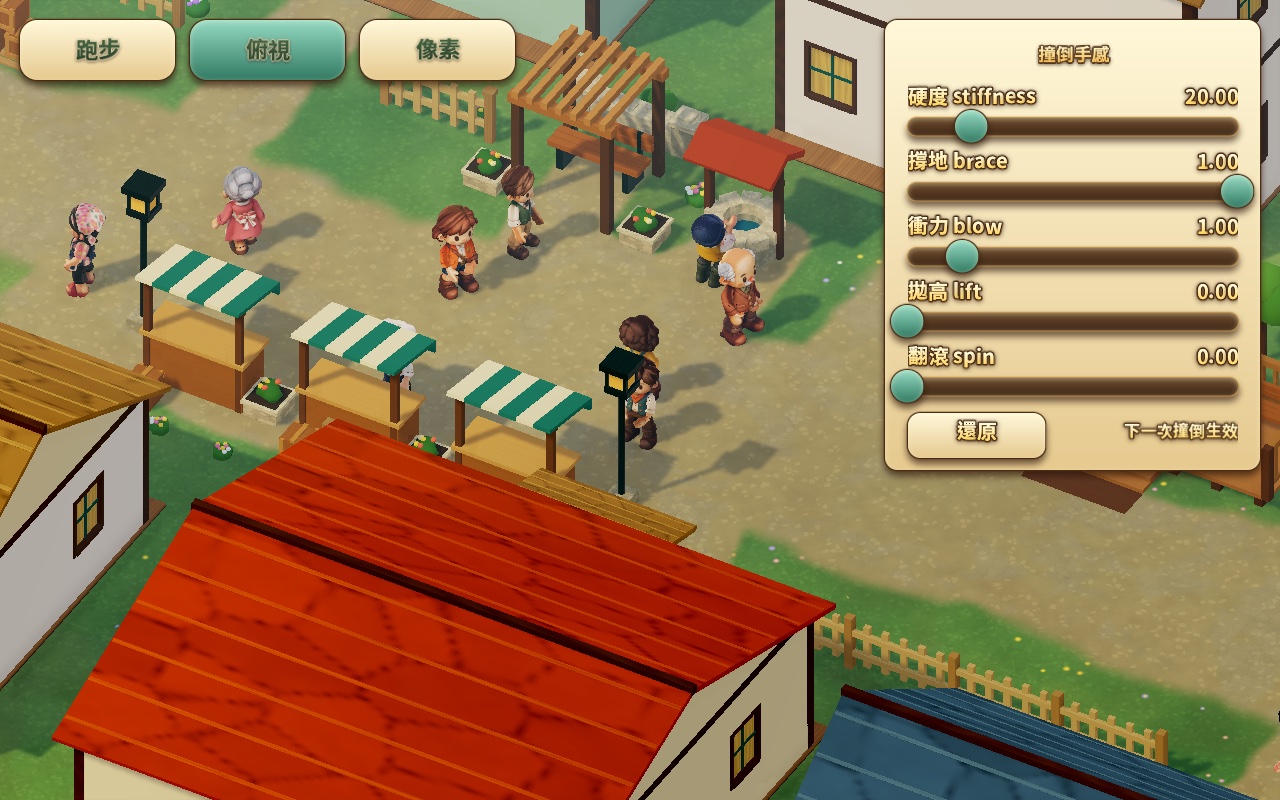
One link, four places
The biggest change of these three days is not a single feature: it is that one set of checks now asks every platform the same questions. Did the resident fall? Did every domino go down? Was every frame drawn? With that, the next change can be tried anywhere with confidence. And now you can walk in yourself.