WebAssembly · WebGL 2 · 版本 2Version 2
Gen Town
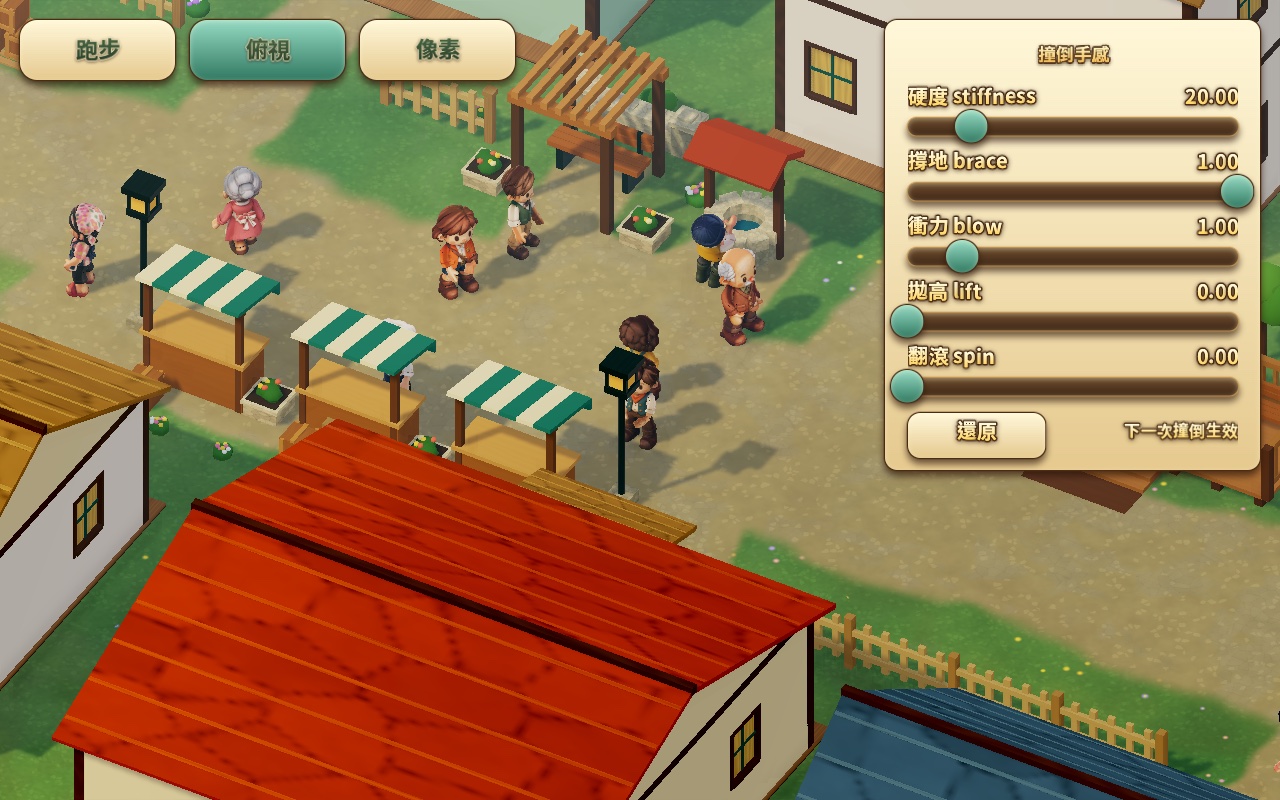
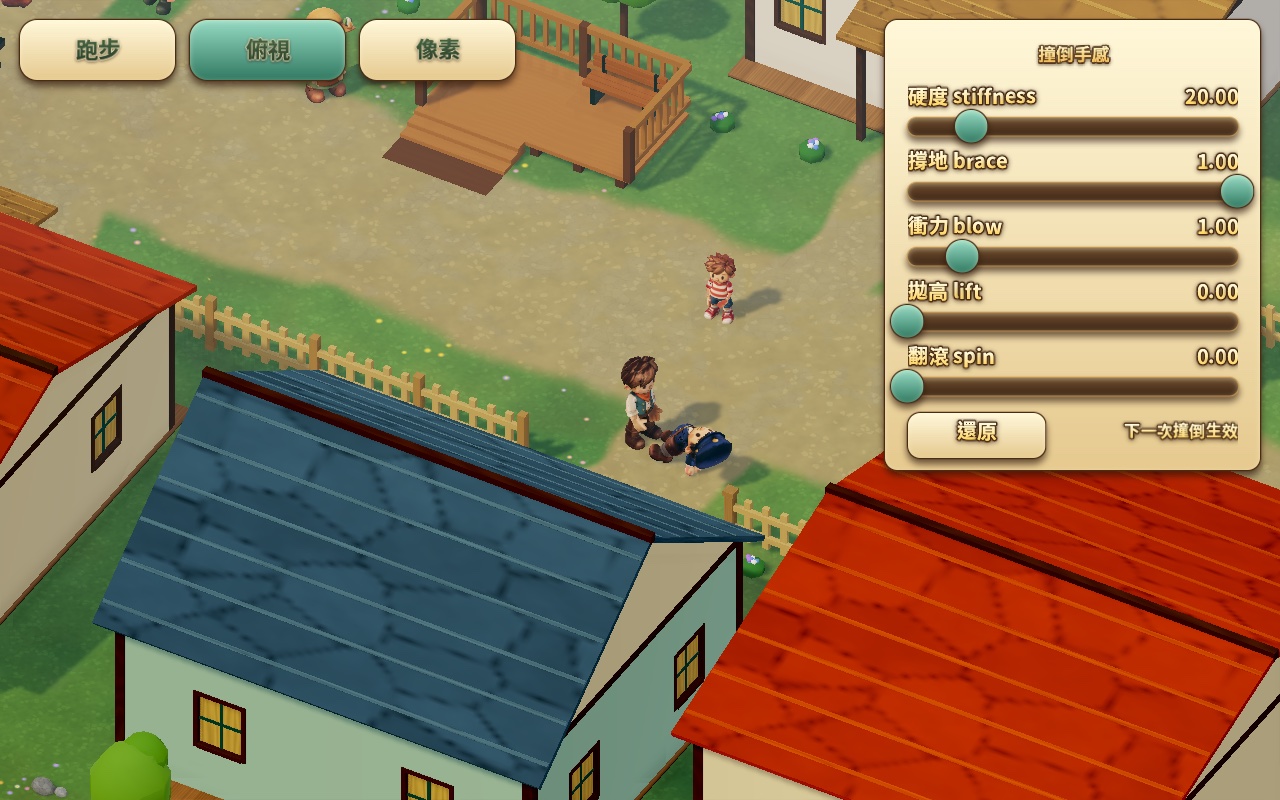
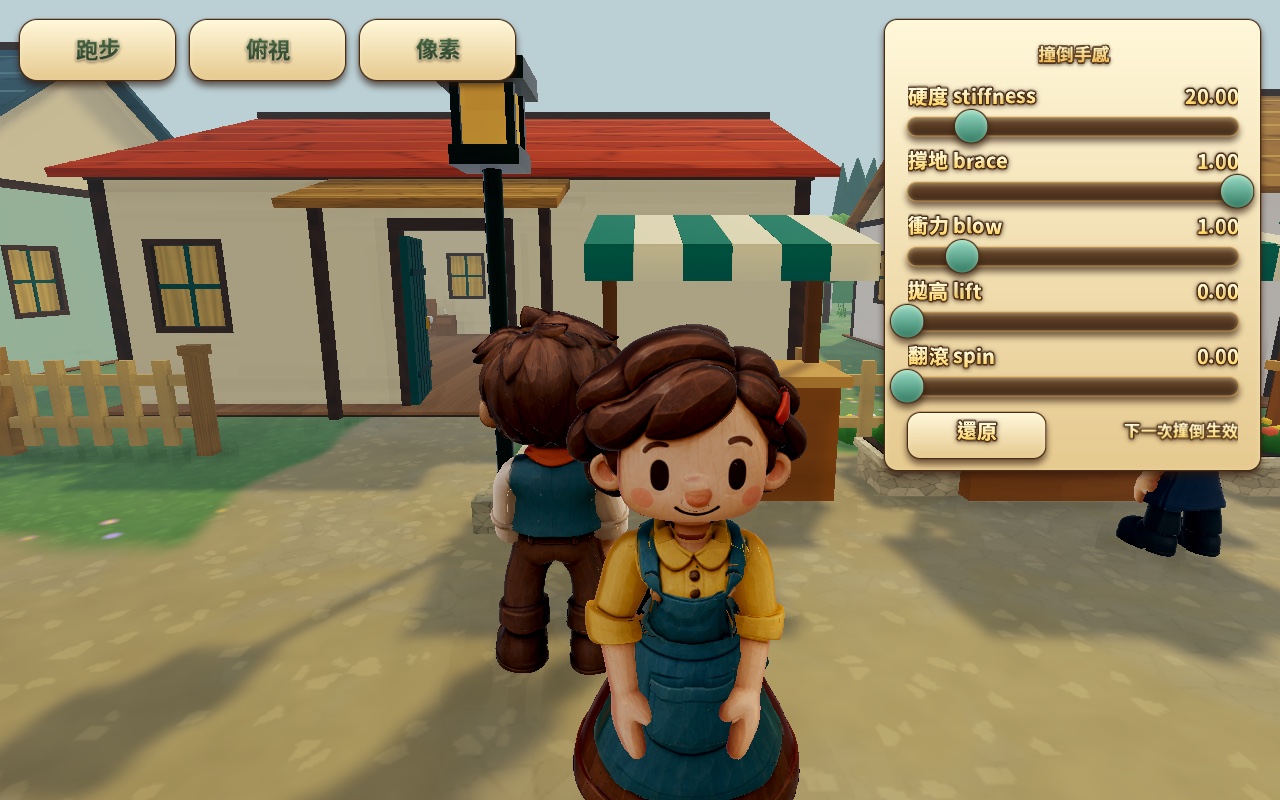
一座用 Abyss Engine 生成、組裝起來的小鎮,現在可以直接在瀏覽器裡走進去。十棟房子、十三位木頭玩偶居民、一座會動的遊樂場。跑步撞到居民,他們會像布娃娃一樣倒下、手撐地、再自己站起來。 A small town generated and assembled with Abyss Engine, now walkable in your browser. Ten houses, thirteen wooden-doll residents and a working playground. Run into a resident and they fall like a rag doll, brace on their hands and get back up.
桌面瀏覽器(已測試 Chrome 與 Safari 的引擎)。第一次會下載約 90 MB,瀏覽器會留著,下次幾乎不用再下載。整座小鎮在你的電腦上執行。 Desktop browsers (tested on the Chrome and Safari engines). The first visit downloads about 90 MB, which your browser keeps for next time. The whole town runs on your computer.
可以做什麼What you can do
走走、撞撞、玩玩具Walk, bump into people, play
| 走路Walk | 點地面或室內地板;按住左鍵會一直朝游標走。點門會走過去開門。Click the ground or a floor; hold the left button to keep walking toward the pointer. Click a door to walk over and open it. |
|---|---|
| 跑步Run | 連點兩下,或按左上的「跑步」。跑著撞到居民會把他撞倒;用走的只會讓他讓開。Double-click, or press 跑步 (Run) at the top left. Running into a resident knocks them over; walking past, they step aside. |
| 鏡頭Camera | 右鍵拖曳(或中鍵、Ctrl+左鍵)旋轉鏡頭、上下拖曳調整俯角,滾輪拉近拉遠;「俯視」在肩後視角與俯視之間切換,並把鏡頭還原。Drag with the right button (or the middle one, or Ctrl + left) to turn the camera and tilt it, and scroll to zoom; 俯視 (Top-down) switches between over-the-shoulder and top-down and resets the camera. |
| 游標Pointer | 滑到門、玩具、居民、椅子或床上,游標會變成手形,表示點了會有反應。Over a door, a toy, a resident, a chair or a bed the pointer turns into a hand: clicking it does something. |
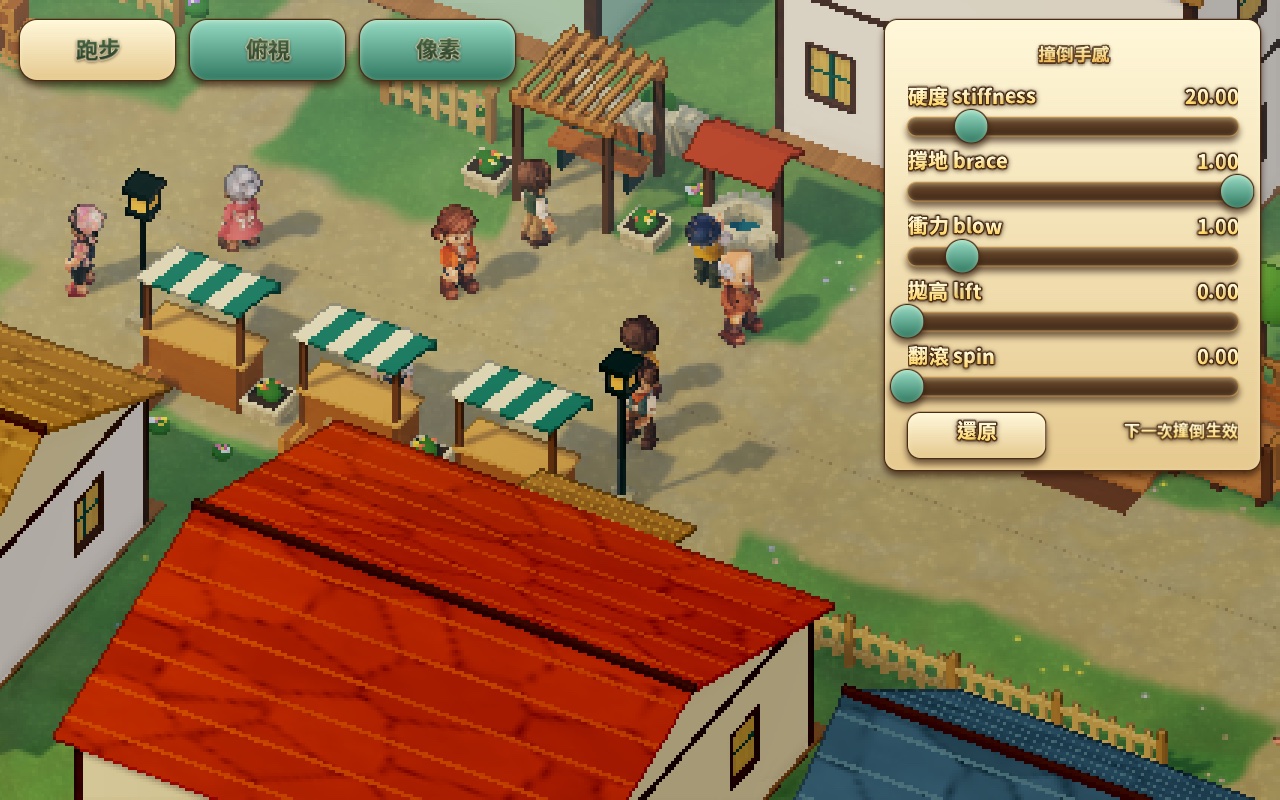
| 像素風Pixel art | 「像素」把整個畫面變成像素風,鏡頭移動時方塊也不會閃爍;Ctrl+P/⌘P 也可以。像素 (Pixel) turns the whole picture into pixel art whose blocks hold still while the camera moves; Ctrl+P / ⌘P too. |
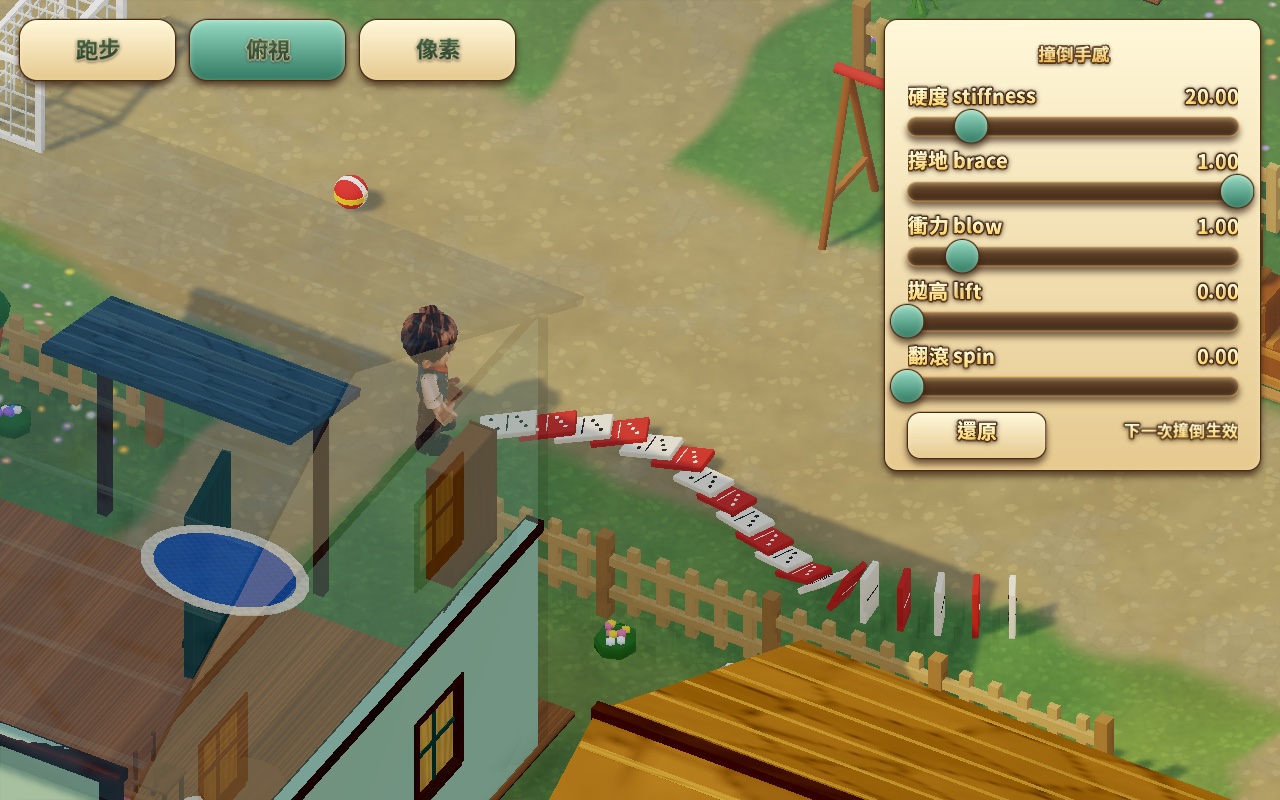
| 遊樂場Playground | 走到骨牌、鞦韆、木箱堆或球旁邊,按畫面上的按鈕:推倒骨牌、推鞦韆、踢倒木箱、射門,再排回去。Walk up to the dominoes, swing, crate stack or ball and use the button that appears: push them over, swing, kick, score, and set them back. |
| 坐下、躺下Sit and lie down | 在屋裡走到椅子或床旁邊,按「坐下」「躺下」。Indoors, walk up to a chair or a bed and press 坐下 (Sit) or 躺下 (Lie down). |
| 撞倒手感Fall tuning | 右上齒輪裡「撞倒手感」卡的五個滑桿調整居民倒下的樣子(硬度、撐地、衝力、拋高、翻滾),下一次撞倒就生效。The five sliders of the Knock-down feel card, behind the gear at the top right, shape how residents fall (stiffness, brace, blow, lift, spin), from the next knock-down on. |
| 畫質Graphics | Ctrl+,/⌘, 打開渲染設定面板。Ctrl+, / ⌘, opens the renderer settings panel. |
| 木頭質感Wood | 居民身上的木紋和刀痕是引擎即時畫出來的,走動時跟著身體;設定面板的材質頁可以調木紋、雕刻深度、年輪間距,或把它關掉。The residents' grain and gouges are drawn live by the engine and move with their bodies; the settings panel's materials page adjusts the grain, the carving depth and the ring spacing, or turns the wood off. |
| 語言Language | 左上的「English」把介面換成英文,再按「中文」換回來。English at the top left switches the interface to English; 中文 switches it back. |
怎麼做的How it is made
同一份 C 引擎,四個地方跑One C engine, four places it runs
網頁版不是另外寫的「網頁小鎮」,而是桌面開發視窗裡那一份 Abyss Engine 主程式,用 Emscripten 編成 WebAssembly(3.3 MB),畫面走 WebGL 2,物理是 Jolt,劇情與按鈕是 .abyss 腳本編成的流程,介面是 UI Maker 文件。小鎮本身是一個世界套件,網頁入口照每個檔案的 sha256 下載、檢查、快取。 The web version is not a separate web town: it is the same Abyss Engine host the desktop development window runs, compiled to WebAssembly with Emscripten (3.3 MB). It draws with WebGL 2, simulates with Jolt physics, plays its buttons and stories as flows compiled from .abyss scripts, and draws its interface from UI Maker documents. The town itself is one world package; the web entry downloads, checks and caches each file by its sha256.
上線前,同一套檢查在 macOS(Metal)、Linux(GLES3 與 Vulkan)和兩種瀏覽器引擎(Chromium、WebKit)上各跑一遍: Before release, one set of checks ran on macOS (Metal), Linux (GLES3 and Vulkan) and two browser engines (Chromium, WebKit):
| 檢查Check | macOS Metal | Linux GLES3 | Linux Vulkan | Chromium | WebKit |
|---|---|---|---|---|---|
| 世界(物件、模型、角色、剛體數)World (objects, models, actors, bodies) | ✓ | ✓ | ✓ | ✓ | ✓ |
| 像素風Pixel art | ✓ | ✓ | ✓ | ✓ | ✓ |
| 鏡頭切換Camera switch | ✓ | ✓ | ✓ | ✓ | ✓ |
| 撞倒與爬起Knock-down and rise | ✓ | ✓ | ✓ | ✓ | ✓ |
| 遊樂場物理Playground physics | ✓ | ✓ | ✓ | ✓ | ✓ |
| 坐下與躺下Sit and lie down | ✓ | ✓ | ✓ | ✓ | ✓ |
| 撞倒手感滑桿Knock-down sliders | ✓ | ✓ | ✓ | ✓ | ✓ |
| 開門與進出Doors and entering | ✓ | ✓ | ✓ | ✓ | ✓ |
| 滑鼠(右鍵旋轉、滾輪、按住行走、手形游標)Mouse (right-drag, wheel, hold to walk, hand pointer) | ✓ | ✓ | ✓ | ✓ | ✓ |
| 語言切換Language switch | ✓ | ✓ | ✓ | ✓ | ✓ |
物理在不同平台不會算出每一位元都相同的結果;檢查看的是行為:倒下、撐地、爬起、骨牌全倒、球進門、家具沒被推走。Physics does not compute bit-identical results across platforms; the checks assert behaviour: falls, braces, rises, every domino down, the goal scored, the furniture left in place.
版本Versions
每個版本都留著Every version stays
- 版本 2Version 2 · · 居民換上木頭質感:木紋與雕刻由引擎的 shader 即時畫出,不用貼圖也不用烘焙,走動時跟著身體。重新設計的玉米農夫;介面可以切換成英文;撞倒後躺在地上不再陷進地板。10.28 晚上更新:十二位居民用同一條新流程重做(設計稿比對、木頭 shader);10.29 更新:郵差女孩也換成新流程,十三位居民到齊。10.29 晚上更新:上漆的地方木紋淡、裸木和皮膚的木紋全強度;小鎮的木製道具(柵欄、長椅、木箱、攤位、平台、樓梯、家具、梁柱、樹幹、骨牌)也變成木頭,一塊板子順著自己的長邊鋸。10.29 深夜更新:引擎有了 shader library,石頭有了石塊間的明暗與小坑,道具邊角會掉漆、牆腳有泥土、石頭頂上長青苔,草、花和樹會隨風擺(影子也跟著動)。10.29 早上更新:小鎮有了四季,每三天(一天四分鐘)換一季,春夏秋冬依序來;雨天會下雨、冬天會下雪,秋天樹葉和草地轉黃轉紅,積雪、水窪跟著季節變。金屬會生鏽、布有織紋。10.29 下午更新:泥土、青苔和水窪跟著地形走,山丘上的樹腳也有泥土、山頂和小路會積水,斜坡上不積水;夜裡的雨比背後亮一點,晚上也看得到雨絲。10.29 晚上更新:村民有了作息,傍晚走回自己家進門,夜裡街上安靜下來(走進他們家看得到人在家),天亮再出門;下雨下雪的日子,有人到涼棚和市集攤位前躲雨,其他人待在家。右側的調整面板(撞倒手感、像素手感)收成一排可展開的卡片,點標題展開或收起,一次只開一張。新增「時間與季節」卡:可調一天的快慢(停、1x 到 8x)、直接切到清晨/白天/黃昏/夜晚,或跳到春夏秋冬。10.29 深夜更新:像素風的描邊、霧和陰影改成每一格只算一次,再放大成方塊,開像素風時畫起來更省力(Mac 上量的 GPU 每幀 4.7 → 3.4 ms),畫面不變。同晚再更新:天黑後家家戶戶的窗戶透出暖光(黃昏微亮、入夜全亮),白天有雲的影子隨風飄過小鎮,雲量跟著季節與天氣變(夏天少、雨天多)。再更新:下雨時水窪裡會有一圈圈雨滴漣漪;下雪天居民頭上和肩上會積雪;走近門、玩具或椅子時,可以操作的那一個會微微發亮。10.29 深夜更新:像素風多了調色盤(PICO-8、Sweetie 16、Endesga 32、Game Boy)和抖色,像素手感卡片多兩條滑桿可以即時切換。10.30 凌晨更新:新材質。屋子的窗戶變成玻璃,暗暗的、映著天空,有一道淡淡的反光;盆栽的陶盆上了釉,亮亮的、底部顏色積得比較深;迎著太陽看時,樹葉和草會被陽光透亮成黃綠色。再更新:房子門框不再閃爍;點地面走路時,點到自己的角色也會走到它後面的地面。10.30 凌晨一點:多了卡通描邊畫風,右側的「卡通描邊」卡片可以開關,並即時調整光的段數、柔和、墨線深淺和線寬。之後修掉了卡通描邊在角色身上的雜點(白色袖子上的點陣和手臂上的碎斑),網頁版剩下的點也清掉了。10.30 凌晨兩點:雪地裡會留下足跡。下雪的季節,大家走過積雪都會踩出一個個左右交錯的腳印,跑步時步子大一點;雪繼續下會慢慢把腳印填平(可以用「時間與季節」卡跳到冬天看)。再更新:右側多了「材質與環境」卡片,可以一項項開關木紋、石頭、玻璃、釉、風、葉透光、積雪、雨、雲影、足跡等效果並調強弱;「全部設定」會打開引擎完整的畫面設定(右上 Close 回到小鎮)。之後:「全部設定」改成畫面右上角的齒輪圖示;引擎設定換成小鎮的木頭玩具配色,依「木頭、石頭、風、足跡…」分段一頁一頁看,每頁標出是哪一類。另外多了「軟Q鞋底」卡片,大家的鞋底會隨地面軟軟地壓扁。再更新:分頁標題就是 Gen Town;一打開只看到小鎮,調整用的卡片收在右上角齒輪裡(按一下拉出,旁邊的「全部設定」打開引擎設定);站到主角前面的居民會變淡,不再擋住他;手機上也看得到上方按鈕和齒輪;點居民會走到他身邊,連點兩下會跑上前撞上去;卡片的中文標籤只用中文。再更新:手機直拿也能玩了——一打開是俯視整條街,按鈕排成兩排、夠大好按,齒輪在右上角,菜園卡片在下方,點地面就走過去;擋在鏡頭和主角之間的居民會整個隱藏,不再像半透明的鬼影;居民會開口打招呼,也會退一步讓你看見。再更新:郵差找你幫忙送信給三戶人家,每家都會出來道謝,最後回去找郵差;菜園有了指路牌和進度,採下的菜可以送給廚師;齒輪裡的「時間與季節」可以把一天設成 4、12 或 24 分鐘,下次來還記得;居民會注意到你、用會換行的對話泡泡說話,泡泡會避開卡片和按鈕、離鏡頭遠時變小;被撞倒的居民大約兩秒就站起來。再更新:走進屋裡時,擋住視線的牆和屋頂會整片打開,屋內和屋外一樣流暢;從街上點屋裡的地板,主角就會從門走進去。走路和跑步更順,跑起來鏡頭會稍微拉開,往鏡頭方向走時畫面不再整個轉過去。東邊多了一區,有四戶人家和新居民。菜園點起來更準,採完會指路到小吃店;每天有新的訂單和一本食譜,料理也更好看。點居民會走到他面前;道謝會在你身邊說,對話泡泡多了指向說話者的尾巴。再更新:把番茄交給皮耶主廚、打開食譜書時畫面不會再卡住,中英文都一樣。鎮上某個地方出問題時,只有那裡停下來並跳出一句提示,其他地方照常。下雨下雪時屋裡的地板保持乾淨。第一次進來要下載的量從約 140 MB 降到約 90 MB。The residents turn to wood: grain and carving drawn live by the engine's shader, with no textures or baking, moving with their bodies. A redesigned corn farmer; the interface switches to English; knocked-down residents no longer sink into the floor. Updated the evening of 10.28: twelve residents remade on that one new route (checked against their designs, wood by the shader); updated 10.29: the postgirl too, so all thirteen are on it. Updated the evening of 10.29: the grain is faint where paint covers the wood and full on bare wood and skin; the town's wooden props (fences, benches, crates, the stall, decks, stairs, furniture, beams, tree trunks, dominoes) turn to wood too, each board sawn along its own length. Updated late on 10.29: the engine has a shader library; stones vary and pit, props chip at the corners, dirt gathers at the foot of walls and moss on stone tops, and grass, flowers and trees bend in the wind, their shadows with them. Updated on the morning of 10.29: the town has seasons, one every three four-minute days; rain falls on rainy days and snow in winter, leaves and grass turn in autumn, snow and puddles come and go with them; metal rusts and cloth shows its weave. Updated on the afternoon of 10.29: dirt, moss and puddles follow the ground, so the trees on the hills have dirt at their feet and the hilltop and paths hold puddles while the slopes stay dry; rain at night is a little lighter than what lies behind it, so it shows in the dark. Updated on the evening of 10.29: the residents keep the day: at sunset each walks home and goes in (step into a house at night and they are in), the streets go quiet, and they come out at dawn; on rain and snow days some wait under the garden arbor and at the market stalls, the rest stay home. The tuning panels on the right (knock-down feel, pixel feel) fold into a column of cards: click a title to open or close one, one open at a time. A new Time and season card sets how fast the day runs (stop, 1x to 8x), moves to dawn, day, dusk or night, and jumps to spring, summer, autumn or winter. Updated late on 10.29: pixel art works out its outline, fog and shading once per block and then shows the blocks, so it is cheaper to draw (on a Mac 4.7 → 3.4 ms of GPU a frame) and looks the same. Updated again that night: the windows glow warm after dark (faintly at dusk, fully at night), and by day the shadows of clouds drift over the town with the wind, as many as the season and the weather bring (few in summer, many on a rain day). Updated again: rain rings spread on the puddles while it rains, snow settles on the residents' heads and shoulders, and the door, toy or chair you can use glows softly when you come near. Updated late on 10.29: pixel art gains palettes (PICO-8, Sweetie 16, Endesga 32, Game Boy) and dither, with two more sliders on the pixel feel card to switch them live. Updated in the small hours of 10.30: new materials. The cottage windows are glass, dark and reflecting the sky with a faint streak of light; the plant pots are glazed, glossy and pooling darker toward the foot; and looking toward the sun, leaves and grass glow yellow-green with the light coming through them. Updated again: the house door frames no longer flicker, and a click on your own character walks to the ground behind it. 1 am on 10.30: a toon look, switched and tuned live on the new 卡通描邊 (Toon) card at the right: steps of light, softness, ink darkness and ink width. Later: the toon look no longer speckles the characters (no dot grid on white sleeves, no patches on the arms). The last dots left in the browser are gone too. 2 am on 10.30: footprints in the snow. In a snowy season everyone who walks leaves left and right prints, longer strides when running, and falling snow slowly fills them in (jump to winter with the Time and season card). Updated again: a new Surfaces & weather card switches and tunes each effect, wood, stone, glass, glaze, wind, leaf glow, snow, rain, cloud shadows, footprints and more; All settings opens the engine's full graphics settings (Close, top right, brings the town back). Since then: All settings is a gear at the top right; the engine's settings wear the town's wooden-toy colours and go section by section (wood, stone, wind, footprints...), each page named. A Soft soles card makes everyone's soles squash softly on the ground. Updated again: the tab reads Gen Town; the page opens on the town alone, the tuning cards tucked behind the gear at the top right (a press brings them out, with All settings beside it for the engine's settings); a resident who steps in front of the hero fades instead of hiding him; on phones the top buttons and the gear show; a click on a resident walks over to them, a double click runs into them; the cards' Chinese labels are Chinese only. Updated again: it plays on a phone held upright. The town opens top-down on the whole street, with buttons in two rows big enough to press, the gear at the top right, the garden card at the bottom, and a tap on the ground walks there. A resident who steps between the camera and the visitor hides instead of showing as a ghost, and residents greet you in speech bubbles, stepping back so you can see them. Updated again: the postman asks you to deliver letters to three homes; each resident comes out to thank you, then you return to the postman. The garden has a signpost and shows its progress, and you can give your vegetables to the cook. In Time and season behind the gear you can make a day 4, 12 or 24 minutes long, and it's remembered next time. Residents notice you and speak in bubbles that wrap, stay clear of the cards and buttons, and shrink when the camera is far away. A resident who gets knocked down is back on their feet in about two seconds. Updated again: step inside a house and the walls and roof between you and the camera open up, and inside runs as smoothly as outside. Tap a house's floor from the street and you walk in through the door. Walking and running are smoother: the camera eases back a little at a run, and the view no longer swings round when you walk toward it. A new district to the east has four homes and new residents. Garden clicks land where you aim, and after picking you're pointed to the eatery; there are daily orders and a recipe book, and the food looks better. Clicking a resident walks you up to them; thanks are said beside you, and speech bubbles have tails pointing at whoever speaks. Updated again: handing tomatoes to Chef Pierre and opening the recipe book no longer freeze the page, in English or Chinese. If one part of the town runs into a problem, only that part stops, with a short notice, and the rest of the town carries on. Floors inside houses stay dry in rain and snow. A first visit downloads about 90 MB instead of about 140 MB.
- 版本 1Version 1 · · 第一個網頁版:物理撞倒、遊樂場、坐下躺下、像素風、俯視鏡頭。10.27 更新:主流滑鼠操作(右鍵旋轉鏡頭、滾輪縮放、按住左鍵行走、手形游標)。The first web version: knock-downs, the playground, sitting and lying down, pixel art, the top-down camera. Updated 10.27: the mouse as games have it (right-drag to turn the camera, scroll to zoom, hold to walk, a hand over what you can use).
目前限制:網頁版沒有天空貼圖、場景反射探針與接觸陰影(設定面板會標示不可用);手機直拿可以玩,但只在 Mac 上用 Chromium 的手機模擬測過,還沒在真的手機和平板上測試。Limits: no sky texture, scene reflection probes or contact shadows on the web (the settings panel marks them unavailable); it plays on a phone held upright, but that was tested only in Chromium's phone emulation on a Mac, not yet on real phones or tablets.